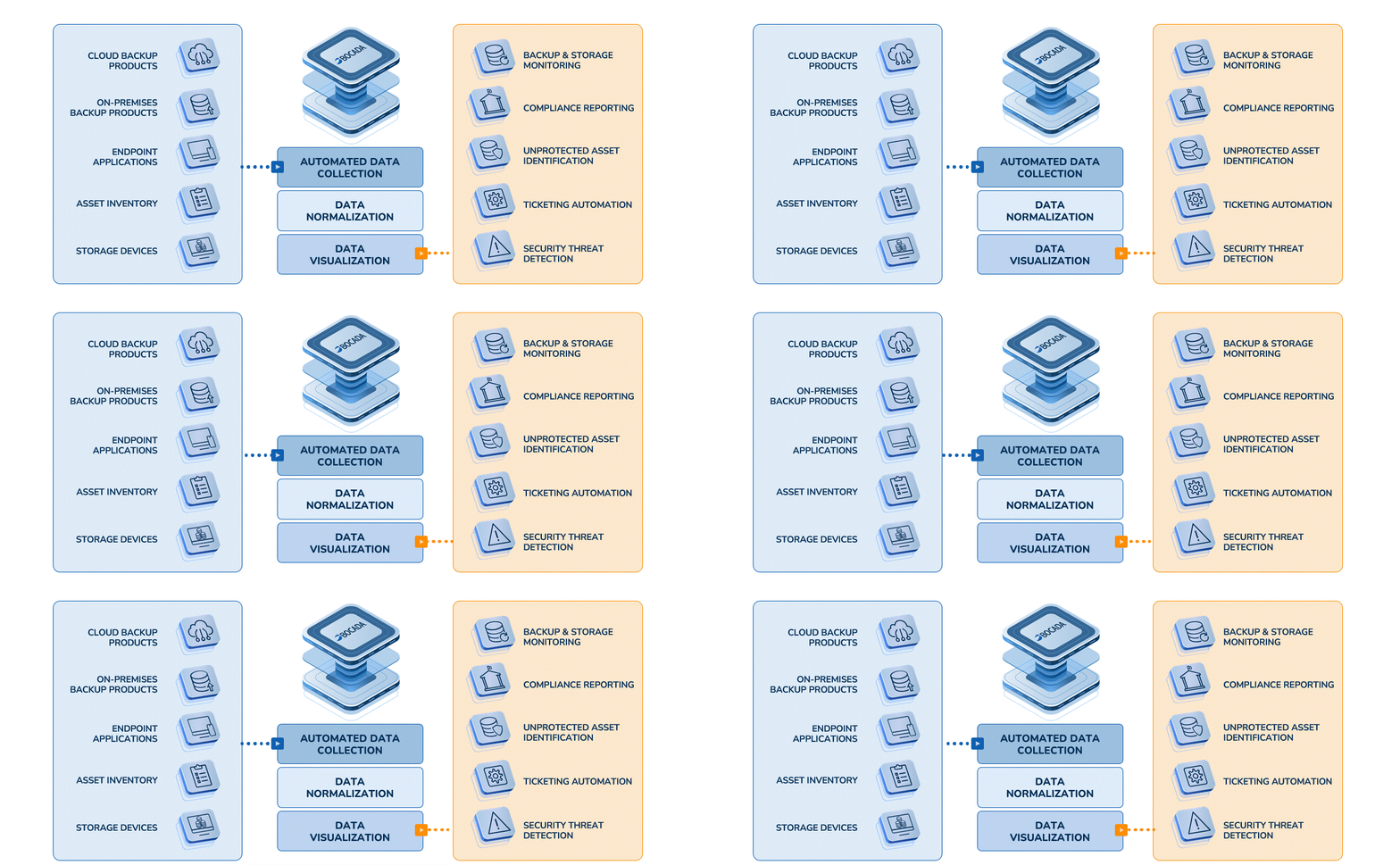
BENEFITS OF IMPLEMENTING DPSM:
THE DATA PROTECTION SERVICE MANAGEMENT MODEL
Organizations that view Data Protection as an IT service, offered to either internal or external customers, require a standard set of operational processes in order ensure successful delivery of backup services while driving down operational costs. Developed in partnership with leading enterprise customers and managed service providers (MSPs), the Bocada Data Protection Service Management Model (DPSM) outlines a series of backup best practices and processes to help improve operational efficiencies. By following the model, users can assess the overall effectiveness of the backup infrastructure, improve the ability to deliver quality data protection and recovery services, confidently meet backup service level agreements (SLAs), improve the ability to respond to backup compliance audits and continuously advance the effectiveness of data protection operations, all while lowering the cost of data protection.
Click through the DPSM process to learn more or read our DPSM Data Sheet .
Data Protection Service Management
Phase 1: Health Check/Assessment
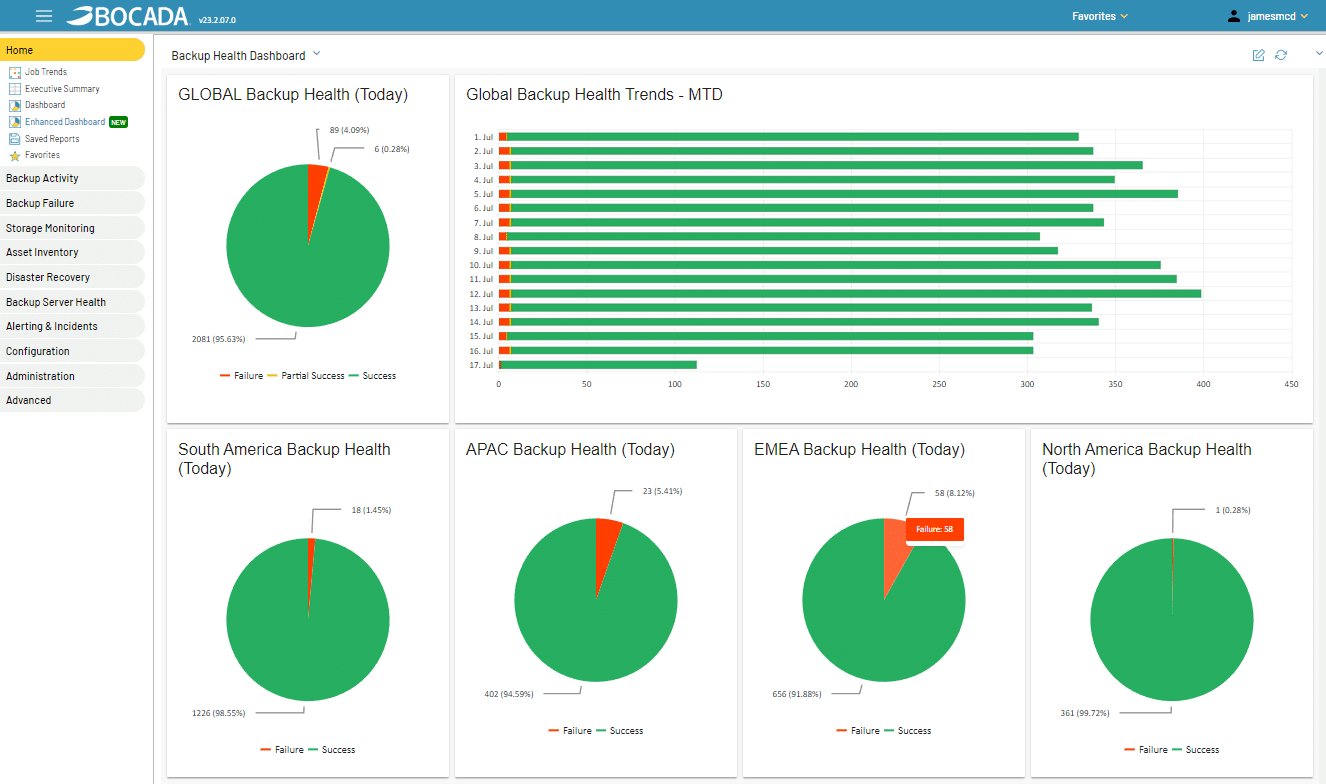
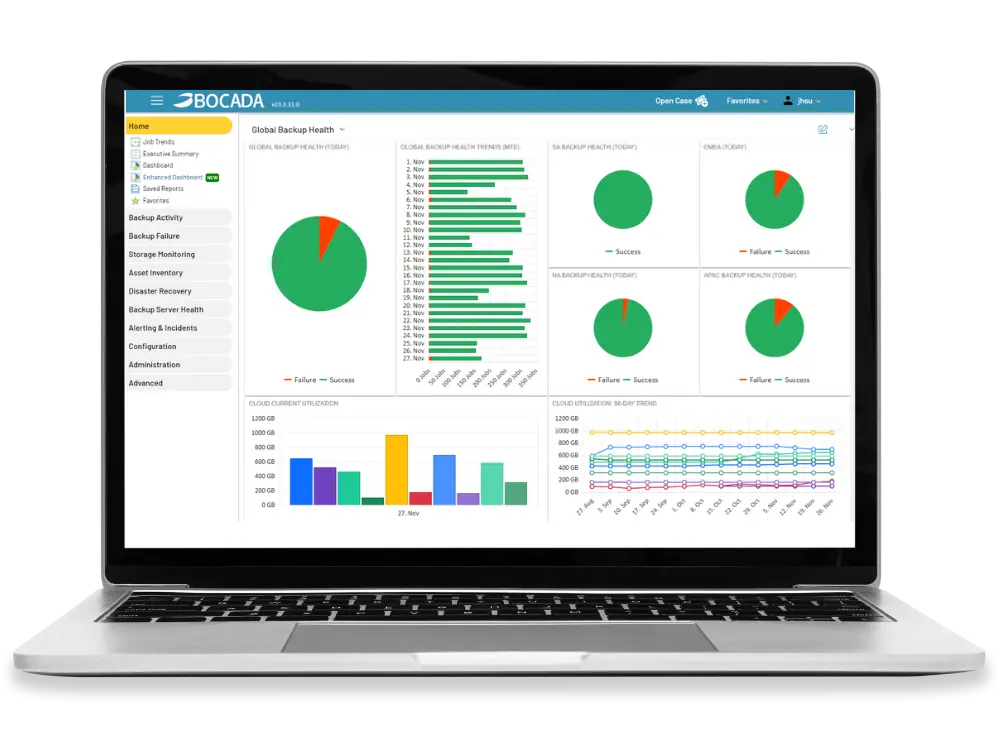
Dashboard Provides Overview of Health of Backup Environment - Click to enlarge
The initial Health Check/Assessment phase helps reveal the true effectiveness of an organization's data protection environment, enables effective Problem Management by pinpointing, diagnosing and helping eliminate trouble spots and identifying opportunities for improvement.
Before Backup Health Check
- Limited visibility into company wide success and failure rates
- No common way to monitor/manage heterogeneous backup applications
- No effective way to manage/troubleshoot backup problems
- Challenged to pass backup audits
- Takes too long to respond
- Insufficient records available
- Backup policies not fully aligned with business policies
- No benchmark for capacity use
Backup Health Check Goals
- Gain immediate visibility into success/failures
- Eliminate common backup problem areas
- Identify out of date or redundant backup policies
- Begin to communicate with customers
- Map what applications are being protected
- Identify application owner
- Start collecting historical information for benchmarks & audits
Benefits
- Automated data collection reduces task time & cost
- Quick resolution of problems ensures recoverability
- Eliminate repetitive problems-- reduce trouble tickets
- Identify recoverability levels
- Increased alignment with internal/external customers
- Laying foundation for improved service processes and compliance
Backup Best Practices
- Do an backup "Infrastructure Health Check" first:
- Ensure administrator familiar with backup applications
- Ensure backup application properly deployed
- Analyze Success/Failure reports by business priority
- Critical servers/applications/departments
- Follow the 80-20 rule, solve most common problems first
- Turn off open file errors, determine handling in future phases
- Eliminate redundant backup or backup of decommissioned systems
- Use reports to communicate with customers on success
Phase 2: Policy Management
Comprehensive View of Policies Helps To Ensure Consistency - Click to enlarge
In the Policy Management Phase, users can evaluate existing policies to ensure they support the goals of the business (Examples: Are we effectively set up to meet RPOs and RTOs, and do we have the right retentions rates in place?). This phase exposes areas where Policies and processes can be modified to better ensure success, recoverability and IT business alignment.
Before Backup Policy Review
- Existing backup policies & backup processes not optimized
- Retention rates too long/short
- Inefficient resource utilization
- Redundant backup policies waste resources (bandwidth, capacity, media)
- Current backup processes not supporting SLA requirements
- Current backup policies not supporting regulatory requirements
- Inefficient scheduling causing bottlenecks
Backup Policy Review Goals
- Modify processes to:
- Reduce backup windows
- Eliminate unnecessary backups
- Better utilize resources
- Ensure retention rates appropriately set to meet RPOs
- Define policies required to achieve SLAs
- Begin to define standardized DPM services catalog
- Align policies/processes to support regulatory requirements
Benefits
- Cost savings through better resource utilization
- Better problem management
- Reduce trouble tickets
- Elimination of systemic problems
- Service catalog improves customer communication
- Ensure infrastructure supports SLA goals
- Optimize allocation of resources
Backup Policy Review Best Practices
- Define limited number of backup policies/processes
- Processes should align with what infrastructure can support
- Determine rules on handling of specific "error" situations
- Locked file, open files, etc.
- Use load balancing reports to determine policies that better utilize resources and eliminate bottlenecks
- Initialize communication with business owners on application priorities
- Publish a services catalog to customers to standardize offerings
Phase 3: SLA Management
Reports Enable Easy Communication of SLA Results To Stakeholders - Click to enlarge
Being able to deliver on SLAs is critical for operational excellence and customer satisfaction. In this phase users are encouraged to create a service catalog, accurately set services management SLAs and effectively measure adherence and success rates. Publishing reports promotes better communication results with customers thereby increasing satisfaction rates.
Before Managing Backup Service Level Agreements
- SLAs are often implied and not agreed to or signed off
- No standard way to monitor and measure SLA success
- Not communicating SLA compliance to customers (internal/external)
- No way to determine the impact of failures or policy changes on SLA success
- Customer not aware of cost of services
SLA Management Goals
- Automatically measure success/performance against agreed upon SLAs
- Publish SLA results to business owners
- Expose costs of services to customers (chargeback)
- Negotiate services based on cost to company
- Continuously refine policies to meet SLAs
- Eliminate gaps between goals and actual performance
Benefits
- Improved IT credibility
- IT practices aligned with business priorities
- Customers self selecting data protection needs based on services cost
- Better audit results
- Improved audit response speed/reduced manpower to meet audits
SLA Best Practices
- Ensure all SLA agreements are fully documented
- Require exception approval for any request outside of published catalog
- Include SLA level in policy name for all jobs
- Allow for easy identification of job importance
- Expose cost of services via chargeback reports
- Publish web reports on SLA compliance to customers
Phase 4: Change & Audit Management
Immediately Track Results of Policy Changes and Impacts - Click to enlarge
DPSM is a continuous process, and therefore tracking change in the data protection environment is critical for exposing areas of risk, identifying unprotected assets, planning capacity requirements and confidently passing compliance audits.
Before Backup Change & Audit Management
- No means to track backup policy changes and their impact over time
- No repository of information on backup problem resolution
- No way to determine the cause of a "dip" in SLA performance
- Difficulty ensuring timely accurate response to backup compliance and regulatory audits
- Need to manually gather historical backup data for audits
Change Management Goals
- Analyze the impact of policy changes on trends, SLAs, etc
- Identify risk areas and control gaps
- Track problem resolution, track impact on SLA performance
- Provide immediate and thorough response to audit requests
- Improved audit response speed/reduced manpower to meet audits
Benefits
- Increased overall recoverability rates
- Improve SLA performance and customer communication
- Reduce business disruption or failure
- Reduce costs associated with audit response
- Complete confidence in ability to pass backup audits
Backup Audit Management Best Practices
- Measure recoverability by reporting on restore activity
- Review performance against SLAs to identify gaps
- Ensure all changes are "annotated" with admin name, date, comments
- Establish accountability and ownership for problem areas
- Be prepared for auditors requesting "off" dates (holidays & weekends) for compliance reports
Results: Operational Excellence
Effective Use of Prism Solution Provides Optimal Results - Click to enlarge
Standardizing on the processes developed in previous phases enables streamlined operations, reduced TCO, increased IT business contribution and increased overall customer satisfaction. Our customers realize these general ROI results:
- Reduction in administrative task costs ~40%
- Eliminates need to build/run scripts
- Reduces time to identify/remedy problems
- Automates report publishing
- Reduction in capital costs ~30%
- Capacity requirements reduced through eliminating redundant jobs, modifying backup policies, better resource utilization (media)
- Other ROI factors
- Reduced risk/costs of downtime
- Ability to chargeback for services
- Increased customer satisfaction/reduced attrition
Before Data Protection Service
Management Processes
- Unaware of internal customer satisfaction ratings
- Backup processes & methodologies not standardized
- Under-investing in IT strategic planning
- Lack of effective cost planning for data protection services
- No on-going backup process improvement model
Data Protection Process Goals
- Implement on-going backup process improvement model
- Implement customer service surveys
- Develop long-term data protection service delivery strategy planning
- Implement best practices across global enterprise
- Consolidate resources
Benefits
- Strong alignment between business and IT
- Consistently reducing backup TCO
- Improved data protection performance
- More effectively utilizing all resources
- Recognition for IT process improvement
Data Protection Service Management Best Practices
- Automate as much backup monitoring as possible
- Standardize on backup policies and SLAs
- Always provide proactive notification to customer
- Use backup trending, capacity analysis and change management for effective planning of capital outlay
- Continuously assess; Find unprotected assets, identify infrastructure concerns; constantly refine policies